


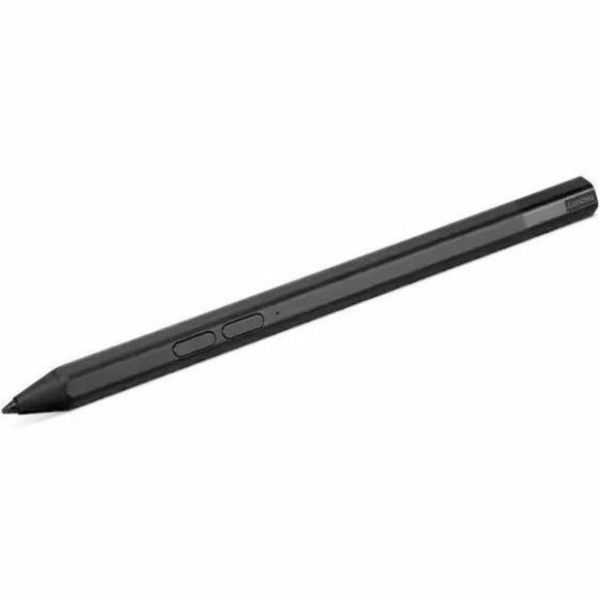
Lenovo Precision Pen 2 for Laptop | Active Stylus, Precision Input — GX81J19854


Bring pen-level control to supported Lenovo laptops with the Precision Pen 2. For teams and professionals who annotate PDFs, mark up drawings, or sketch ideas directly on screen, an active stylus changes the pace of the workflow. It gives you a more deliberate input method than touch, with the accuracy needed for handwriting, review cycles, and visual planning. This pen is aimed at users who value precision over novelty. In enterprise environments, that means cleaner document markup, faster review sessions, and fewer input errors when working in meetings or on the move. For creative users, it supports a more natural hand position for sketching and concept work. For field and office use alike, it keeps interaction direct and efficient. The Precision Pen 2 fits naturally into Lenovo laptop workflows, making it a strong accessory choice when the device is part of a premium mobile setup. It is the kind of tool that earns its place by improving the quality of every handwritten note, signature, and annotation. If your laptop is part of a daily production workflow, this pen helps make the screen a more exact instrument. Ideal For Annotating PDFs and business documents on a Lenovo laptop Taking handwritten notes in meetings and classes Sketching concepts and wireframes on screen Signing forms and marking up review files Why This Product 1 More precise than touch input for notes and markup 2 Designed for supported Lenovo laptops 3 Active stylus input for professional workflows 4 Portable accessory for mobile productivity
- Packaged Quantity: 1
- Compatible Tablet Sizes: N/A
- Compatible Tablet Models: Supported Lenovo laptops
- Accessory Connectivity Type: Active stylus
- Stylus Protocol: Active pen
- Key Feature 1: Active stylus for Lenovo laptop use
- Key Feature 2: Precision input for handwriting and annotation
- Key Feature 3: Designed for supported Lenovo Precision Pen workflows
- Key Feature 4: Portable accessory for mobile productivity
- Key Feature 5: Suitable for note-taking, markup, and sketching
- Key Feature 6: Premium pen input for screen-based work
Write Your Own Review

Quick Shipping
Usually ships in 1 business day

easy return
Free shipping
Money back gaurantee
support content